1 minute readNew
LLM prompt and ML model functions run on your own model
An LLM prompt or ML model pricing function can now run on an inference provider your workspace connected, with your own model and pricing instructions. Before, these functions quietly used the basic rule-based formula.
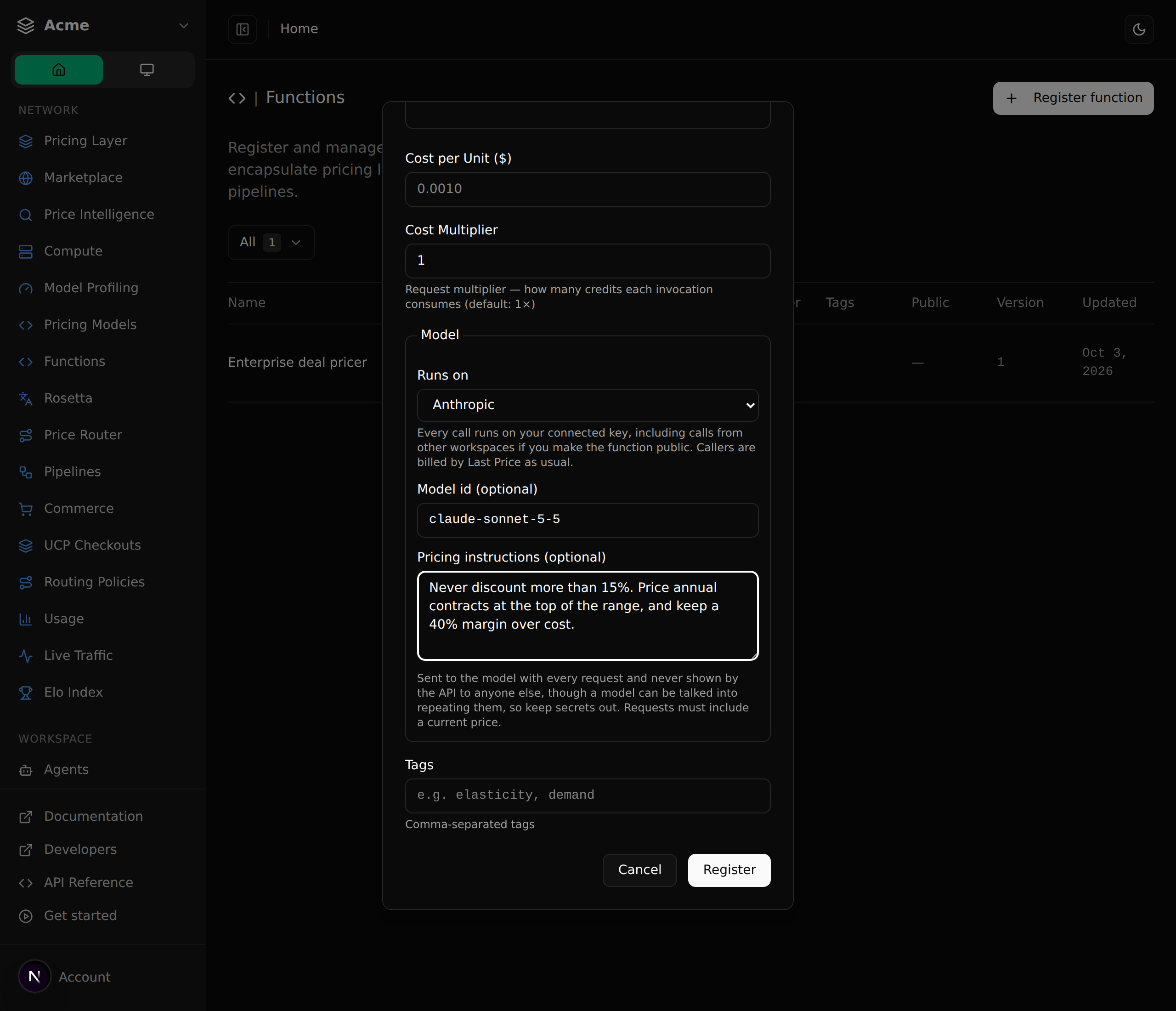
Registering an LLM prompt or ML model function used to give you a function that never called a model. Every request was answered by the same rule-based formula as a plain function.
- Choose which connected provider the function runs on, and optionally a model and your own pricing instructions. Calls use your workspace's key.
- Requests to these functions need a current price, and the model prices relative to it.
- If the provider is not connected, calls are refused with a message naming it. They are never answered by the formula behind your back.
- Your provider, model and instructions are returned only to your workspace, even for a public function. Keep secrets out of the instructions, since a model can be talked into repeating them.
- A public function runs on your key for every workspace that calls it, and only you can use the test button on it.
- Switch a function back to the rule-based formula at any time from its edit dialog.