1 minute readNewAgent-ready
See what moved the price
A price check from a photo now draws a chart called "What moved the price". It starts at the price of a standard one and shows what each detail added or took away, ending on the price.
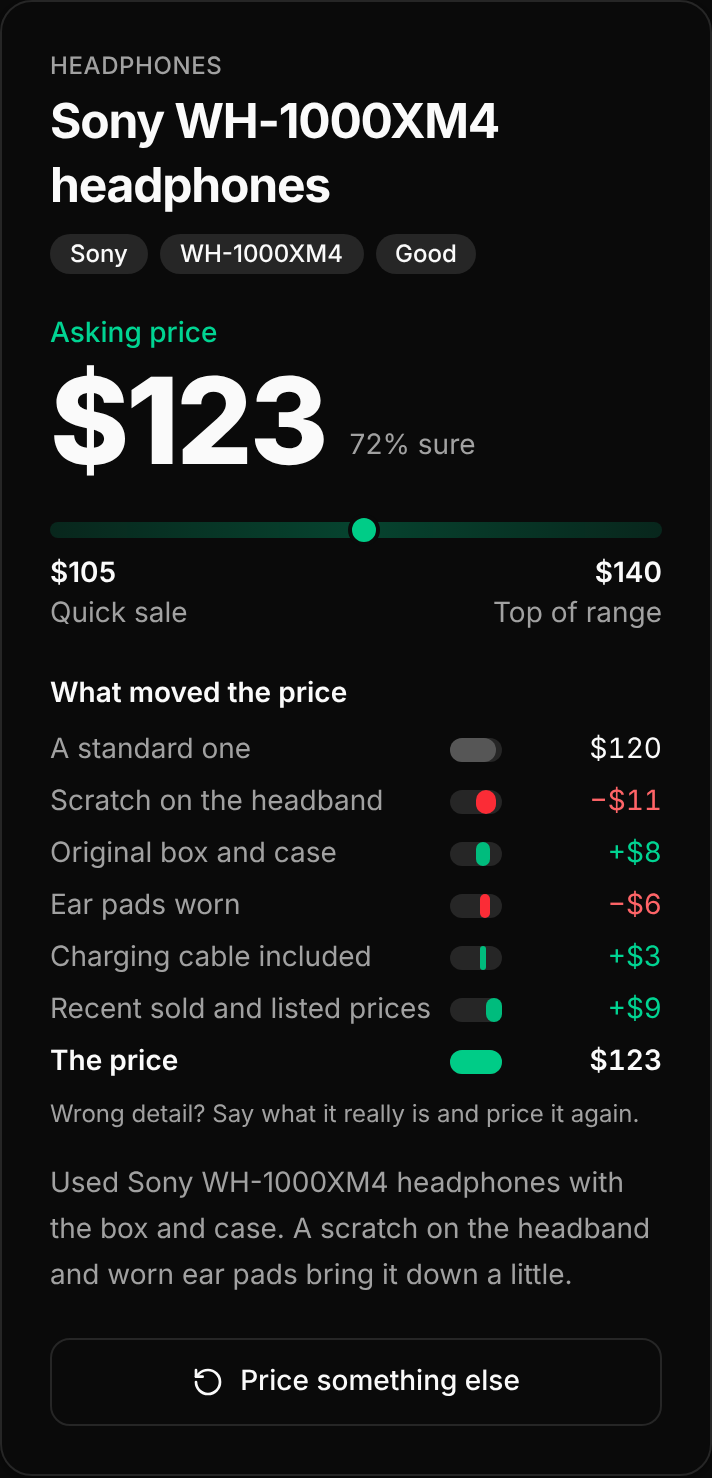
The chart is on the price check on the website and in the mobile app.
- Bars. The first bar is "A standard one". Then each detail has its own bar, green when it raised the price and red when it lowered it, with its amount, for example "Scratch on the lid −$11" or "Original box +$8". The last bar is "The price".
- Other steps. "Recent sold and listed prices" and "How fast it should sell" each get a bar when they moved the price.
- Wrong detail? Say what it really is and price it again. An answer with no breakdown shows no chart.