2 minute readFixedAgent-ready
Saved billing settings apply to invoices
Billing preferences save per workspace. Posting follows the saved email choice; numbering uses its starting floor, and instructions appear on invoices.
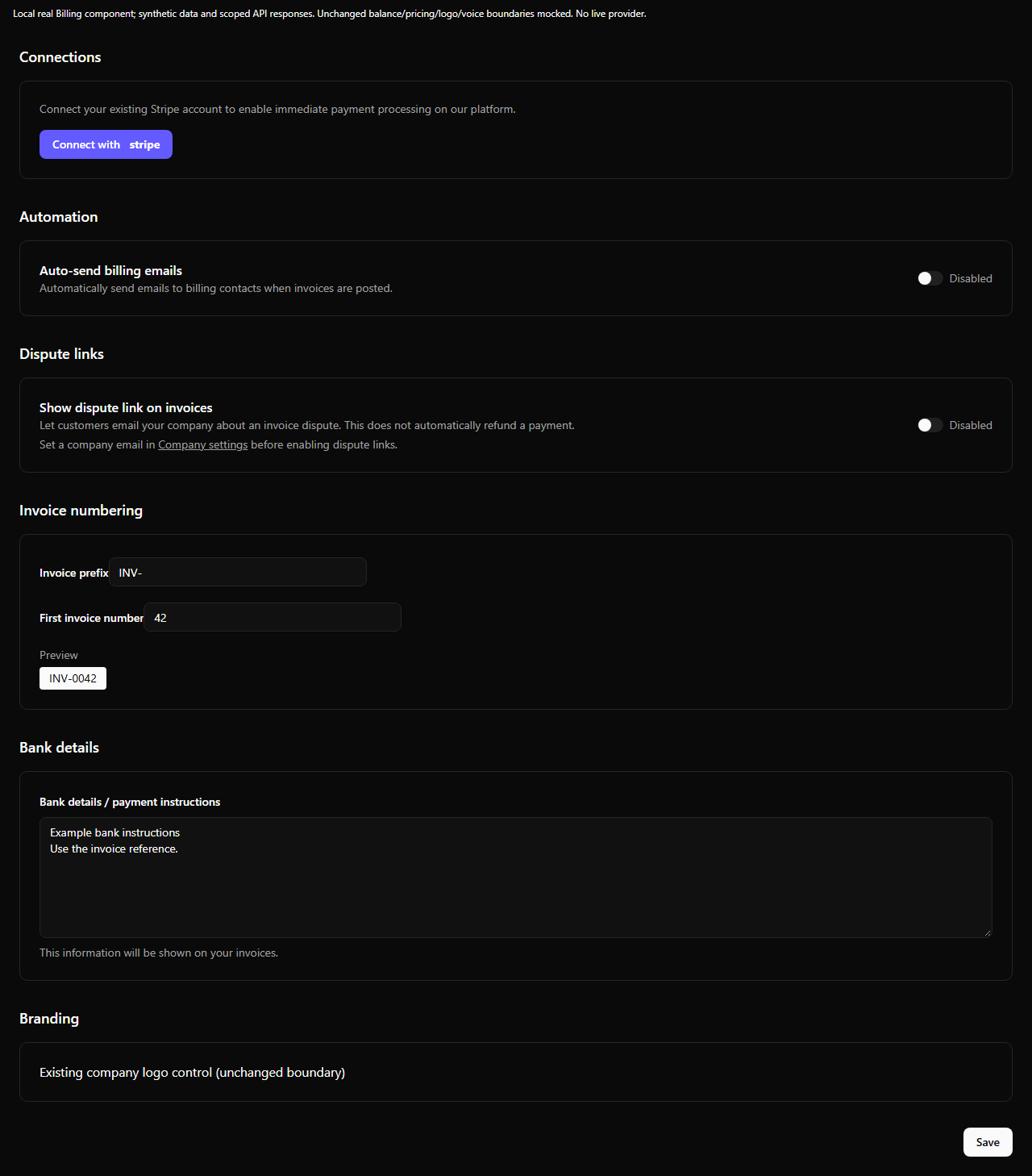
Settings, Billing saves the email choice, numbering floor, payment instructions and optional seller dispute contact for the selected workspace. A workspace switch retires the previous form before its values can appear under another workspace. Failed reads keep Save disabled; failed saves retain your edits.
- Send invoice explicitly emails the customer. Post invoice follows the saved auto-send choice, off by default. Creating a draft sends nothing.
- The existing
send_invoicetool and invoice send endpoint acceptpost: true. ExplicitissueWithoutEmail: truealways prevents email. Invalid send intent is refused before issuing an invoice. - The first number is a floor for automatically numbered invoices. Existing sequences keep moving forward; manual numbering remains manual.
- Payment instructions appear separately from the email footer and on enabled public invoice links. The optional dispute link emails the seller's company address; it does not process a refund.
- Settings, Tax can clear the company address and remove the EU VAT registration. Other registrations remain. The Stripe connection button opens the existing connection setup; saving billing preferences does not start OAuth or payments.
The screenshot renders the actual Billing component using synthetic workspace data and intercepted API responses. Unchanged child boundaries are disclosed in the frame. It is not a production workspace or proof of email delivery.