1 minute readImproved
Your marketplace listings show where they are on the way to live
Each listing you publish now shows its steps to live, why it isn't live yet, and what happened to it last.
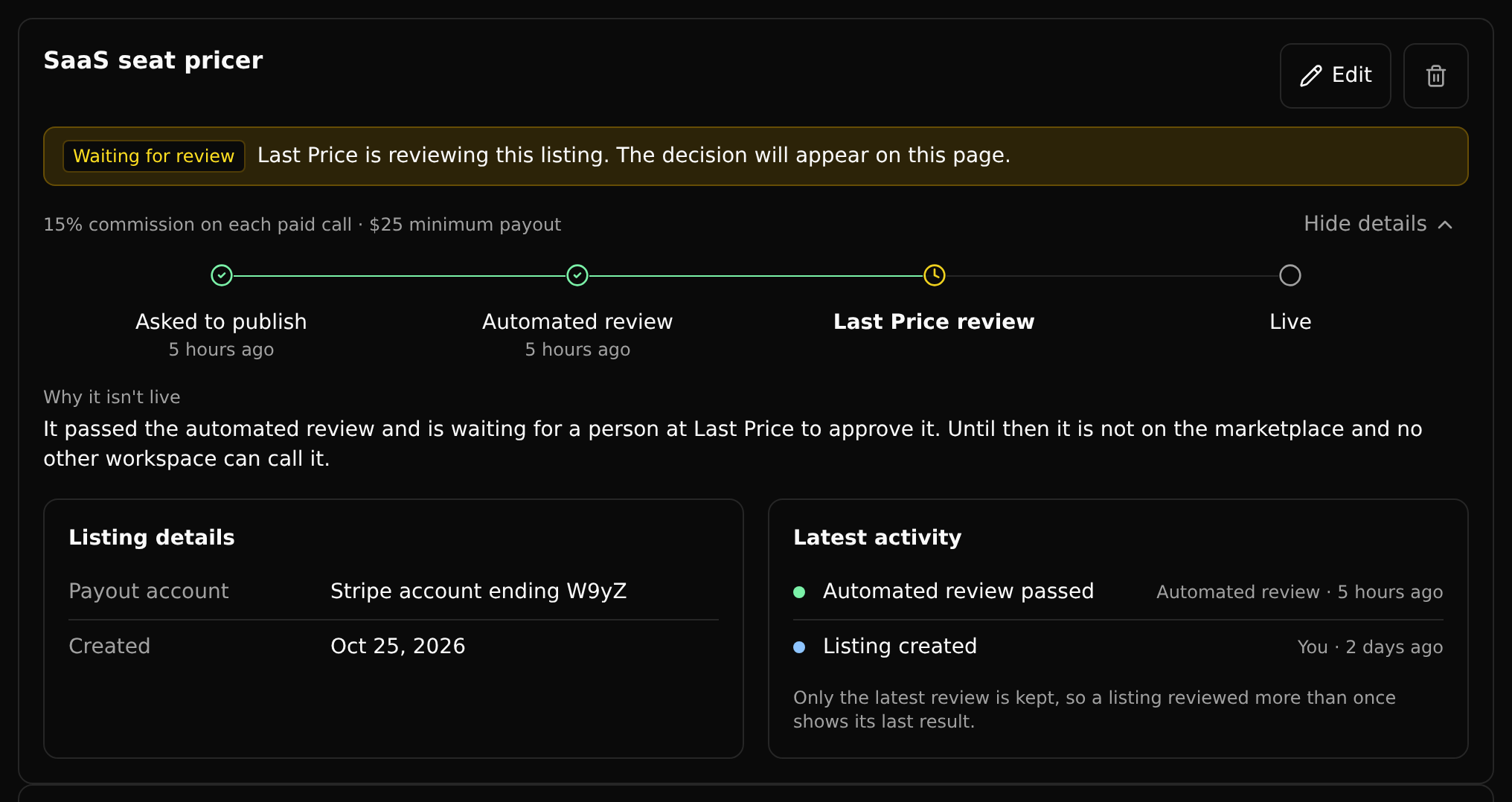
Marketplace > Listings now shows each of your listings the way an app store shows a submission.
- Where it is. Asked to publish, Automated review, Last Price review and Live, with when each happened. A listing waiting for Last Price reads Waiting for review, not public.
- Why it isn't live. The checks it failed, or the reason Last Price gave for turning it down, written on the listing instead of inside Edit.
- What happened last. Its latest activity, marked You, Automated review or Last Price, beside its payout account.
- Live listings stay short. A live listing shows one line with its commission and minimum payout until you open it.