1 minute readNew
Team invitations arrive by email with a link that works
Inviting a teammate now sends them an email with an accept link. The link opens a page that shows who invited them and to which workspace, and lets them sign in or create an account and join in one go.
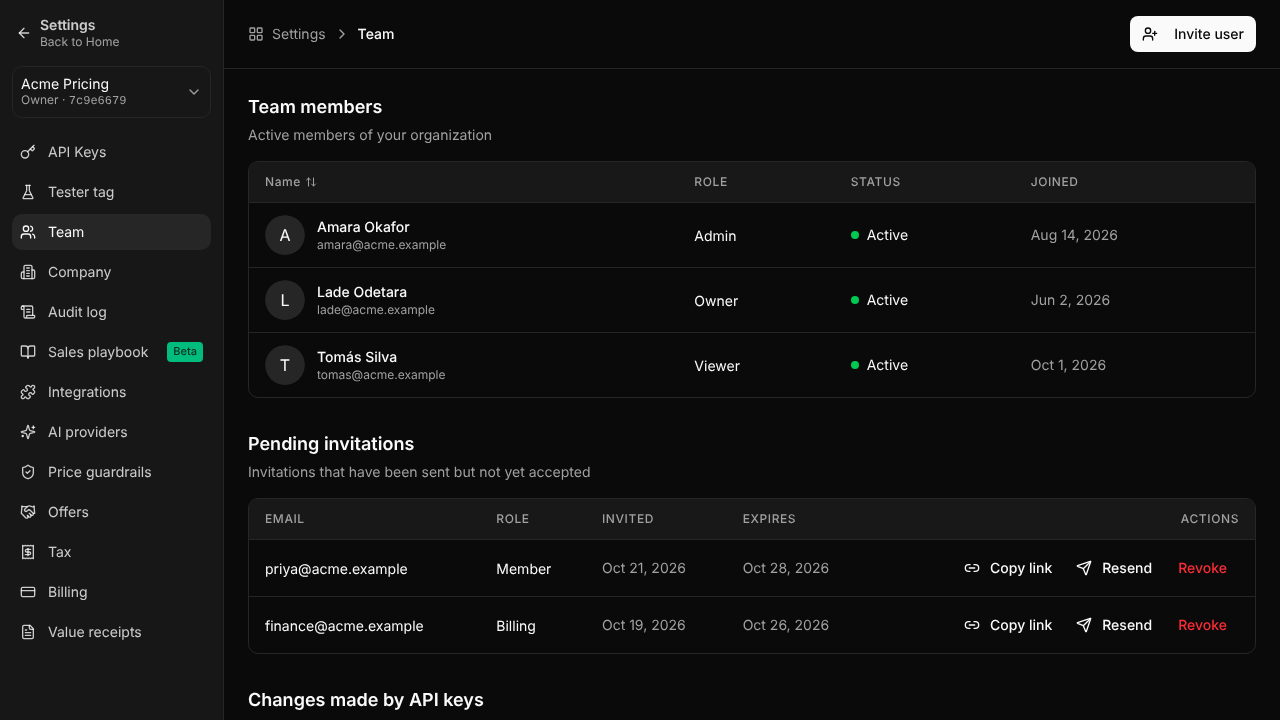
An invitation used to sit in the list with no email and no way in. Now:
- The invited person gets an email with an accept link that works for 7 days.
- Owners and admins can copy the link or send the email again from the Team page.
- The accept page shows the workspace, the role and who sent it. Signing in or creating an account comes back to it, and accepting opens the workspace.
- Someone who signs up with an invited address sees the invitation at the top of the dashboard and can accept or decline it there.
- Inviting someone who is already a member says so instead of making a second invitation, and accepting closes any other open invitation to the same workspace.
For help, write to support@last-price.ai.