1 minute readNew
Set price guardrails on a page and try them on a product
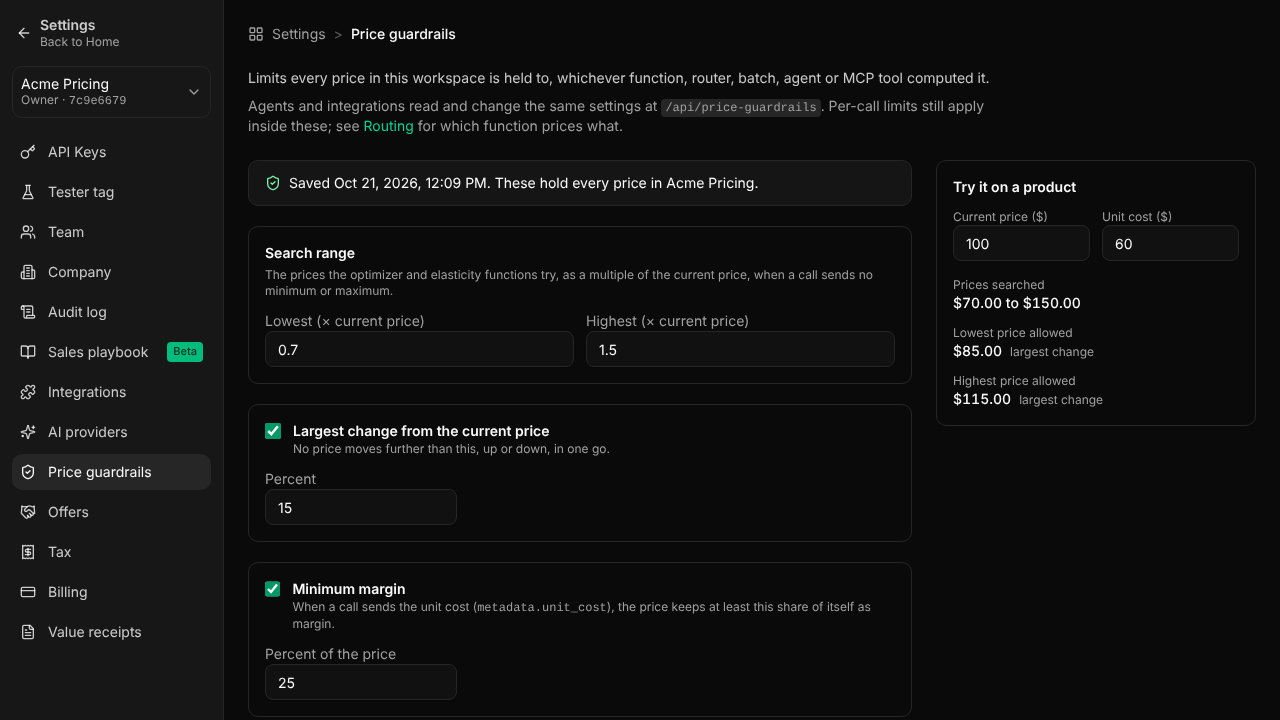
Settings, Price guardrails sets the limits every price in the workspace is held to, and previews the prices allowed for an example product before you save.
Workspace guardrails could only be set through the API. Now:
- Settings, Price guardrails sets the search range, the largest change from the current price, the minimum margin and the rule never to price below cost.
- Try it on a product shows the prices searched and the lowest and highest allowed for a price and cost you enter, using the same rules as pricing calls.
- Save applies them to every function, router, batch, agent and MCP tool, and Remove saved guardrails goes back to the default.
- Routing Policies links to the page.
For help, write to support@last-price.ai.