2 minute readNewAgent-ready
What's it worth? Price anything from a photo on the web
last-price.ai/price-check now prices one item from photos, a PDF, a link or a few words, with no account. Pick selling or buying and get a fair price, the range it sells in, its condition, and a listing or an offer to send.
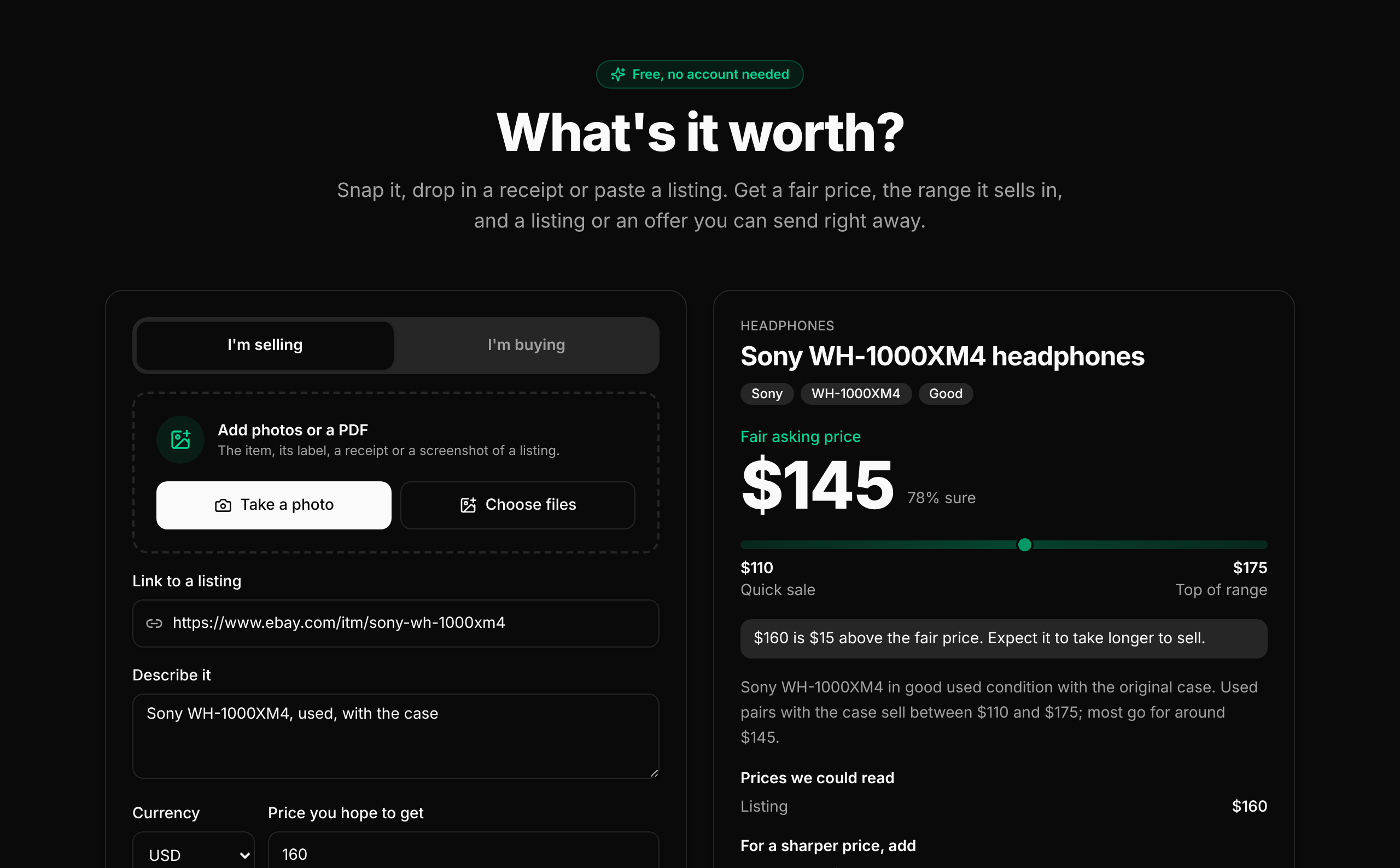
The price check page now prices the item in front of you. Take a photo with your phone, drop in a receipt or an invoice as a PDF, paste a link to a listing or describe it in a few words, then press Get price. No account, no key.
- Selling or buying. A seller gets a fair asking price, a quick sale price and the top of the range. A buyer gets a fair price to pay, an opening offer and the most to pay.
- The result. The item's name, brand, model and condition, the price in large type with how sure it is, the range as a bar, any price read off a tag or a listing, the reason in plain words, and what to add for a sharper price.
- Your number. Add the price you hope to get, or the price you are being asked, and the result says how it compares.
- Ready to send. Selling comes with a listing written from what you sent. Buying comes with a message to the seller, the opening offer filled in. Copy it, send the price on WhatsApp or copy a link to a card anyone can open.
- For agents. The page calls
POST /api/public/price-check, which needs no key and allows 6 checks an hour from one address. With a key, the same pricing isPOST /api/price-router/pipelines.
Photos are shrunk in your browser before they are sent and are not stored.