1 minute readImprovedAgent-ready
API keys show Active, Expired or Revoked, and revoking says what happened
Each API key shows whether it is active, expired or revoked, with the date, and the list can be filtered by status. Revoking names the key, updates the row straight away and confirms or explains a failure.
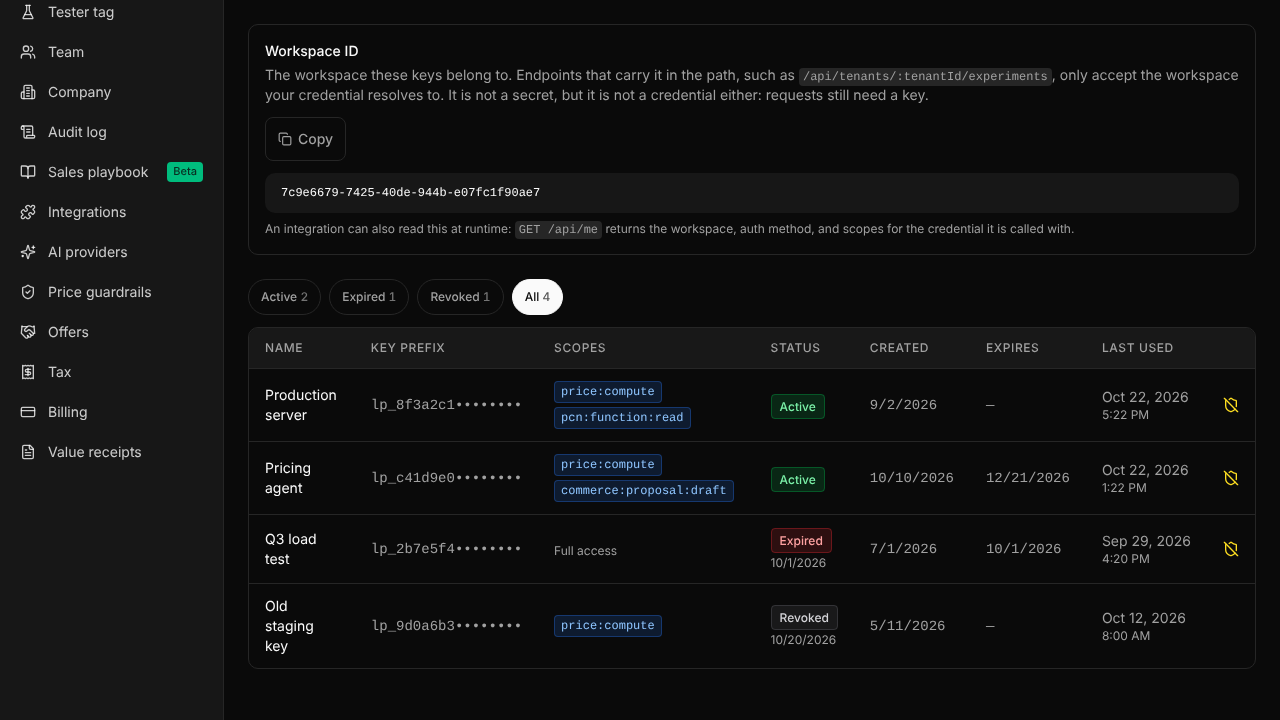
An expired key looked the same as a working one, and a revoked key vanished from the list. Now:
- Every key shows Active, Expired or Revoked, with the date it expired or was revoked.
- Buttons above the table show the active, expired, revoked or all keys, with a count each.
- The revoke dialog names the key and shows its prefix and when it was last used.
- After revoking, the row changes at once and a message confirms it; if the revoke fails, the dialog stays open and says why.
- GET /api/api-keys?include_revoked=true returns revoked keys with a
statusfield.
For help, write to support@last-price.ai.