1 minute readNew
Notifications show what happened in your workspace
The Notifications panel in the sidebar now lists approval requests, failed webhook deliveries, email to your agents, disputes and proposed price changes for the selected workspace, and the Monitor tab shows how many are unread.
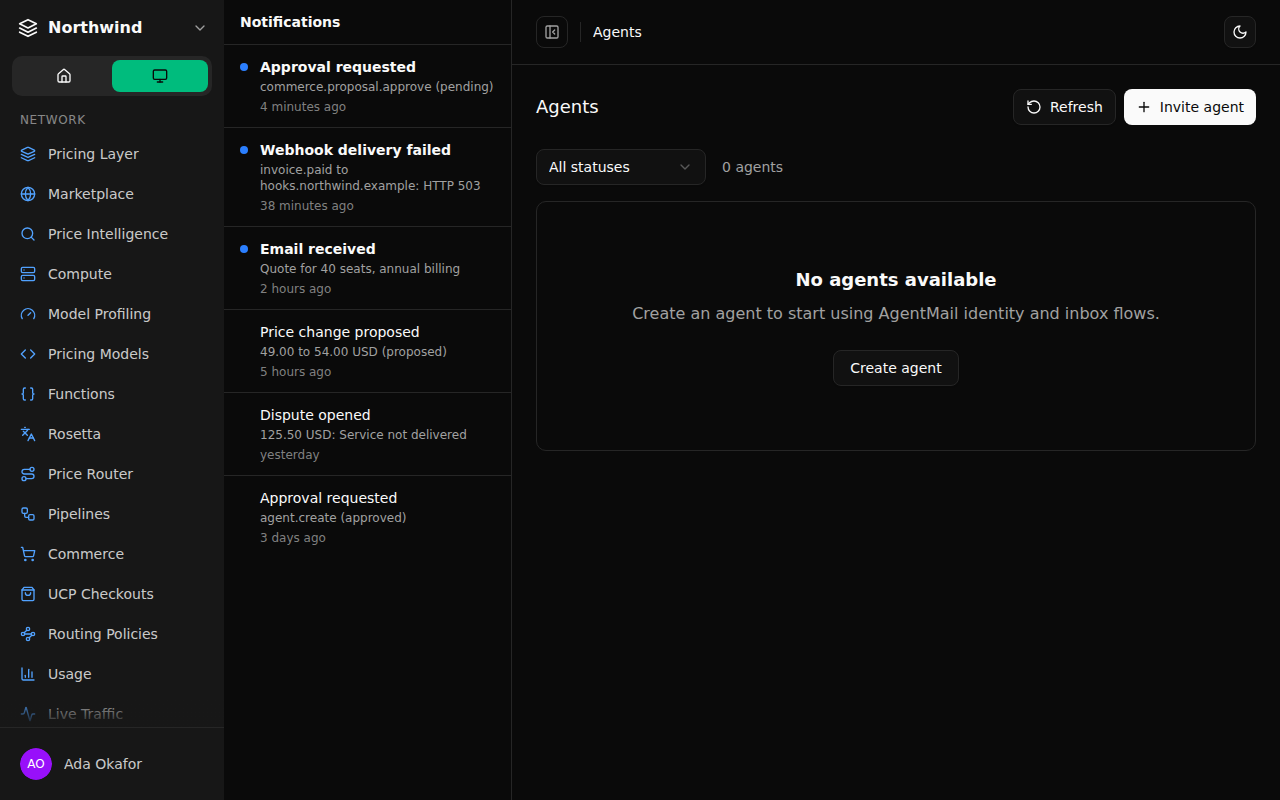
The Notifications panel used to say "No notifications yet" no matter what happened in your workspace. It now shows the newest 50 items for the workspace you have selected.
- Approval requests, failed webhook deliveries, email received by your agents, disputes and price changes proposed by Commerce each appear with how long ago they happened.
- Each item opens the page it is about: the approval, Webhooks, the agent's inbox, Disputes or Commerce.
- The Monitor tab shows how many items are new since you last opened the panel. Opening it marks them read for you only; your teammates keep their own count.
- Items come from the selected workspace only. Failed webhook deliveries appear for owners and admins, and email to an agent with a private inbox never appears.
- If the list cannot load, the panel says so and offers to try again.