1 minute readNewAgent-ready
Send your prices to ChatGPT with a product feed
Shoppers who ask ChatGPT about a product can now see yours at today's price: Last Price builds the product feed ChatGPT Business Hub takes, from your synced catalog.
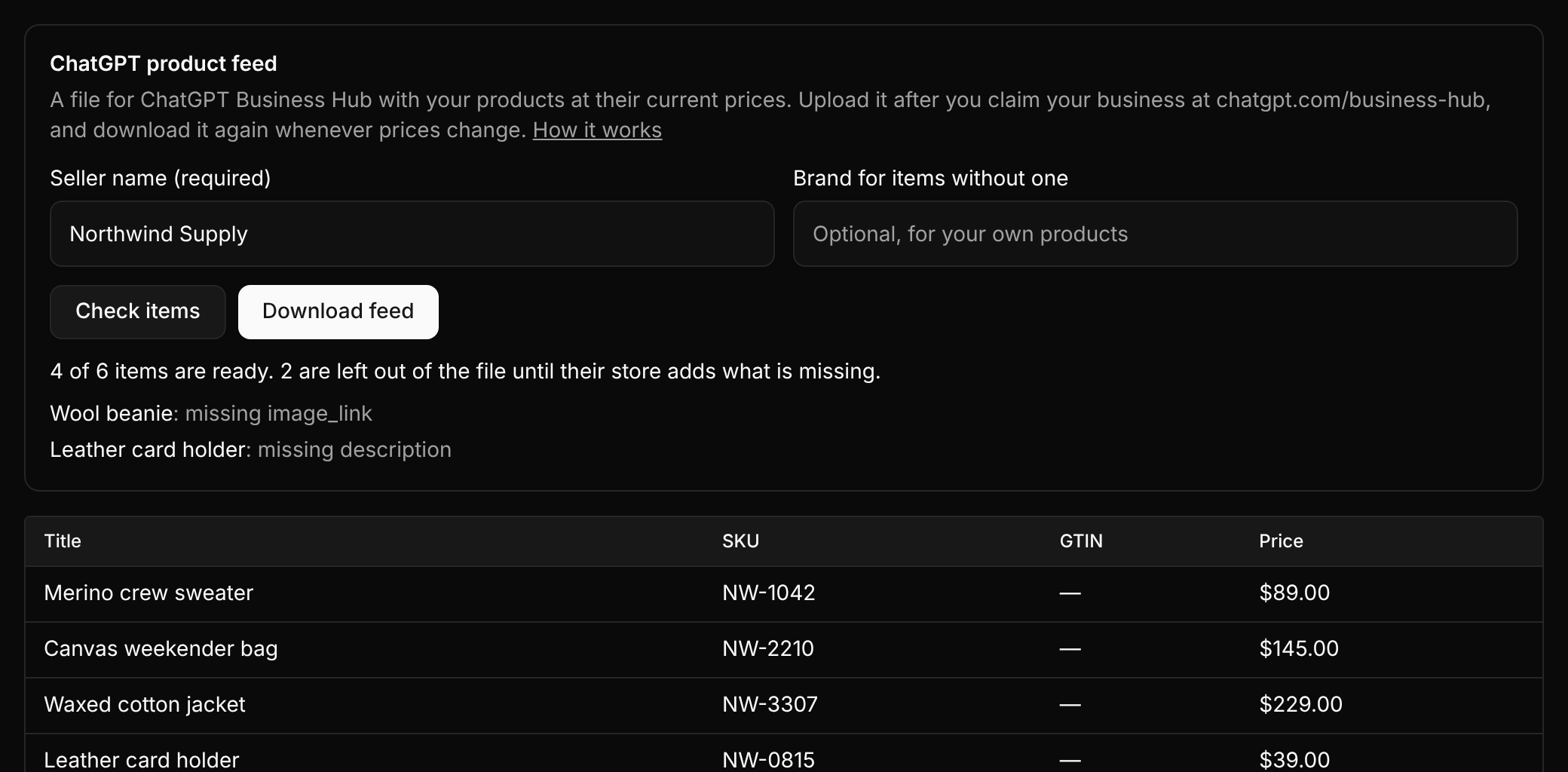
Shoppers who ask ChatGPT about a product can now see yours, at the price you charge today. Claim your business on ChatGPT Business Hub, then upload the product feed Last Price builds from your catalog.
- Open Commerce, then Catalog, enter your seller name and choose Download feed
- Choose Check items first to see which products are ready. One with no product page, picture or description is left out and listed with what it misses, so ChatGPT rejects nothing
- Products synced from Stripe or Algolia bring their page, picture and description with them
- ChatGPT does not refresh the feed on its own, so download and upload it again after a price change
- Agents can fetch the same file from the API