2 minute readNewAgent-ready
Receipts for your priced calls, on request
Ask for a receipt for any priced call by its id, or for a statement of many by date range, as JSON, CSV or a printable page. Receipts are made only when you ask, from the dashboard, the API or two new MCP tools, and a statement counts the value signals you set up for each agent.
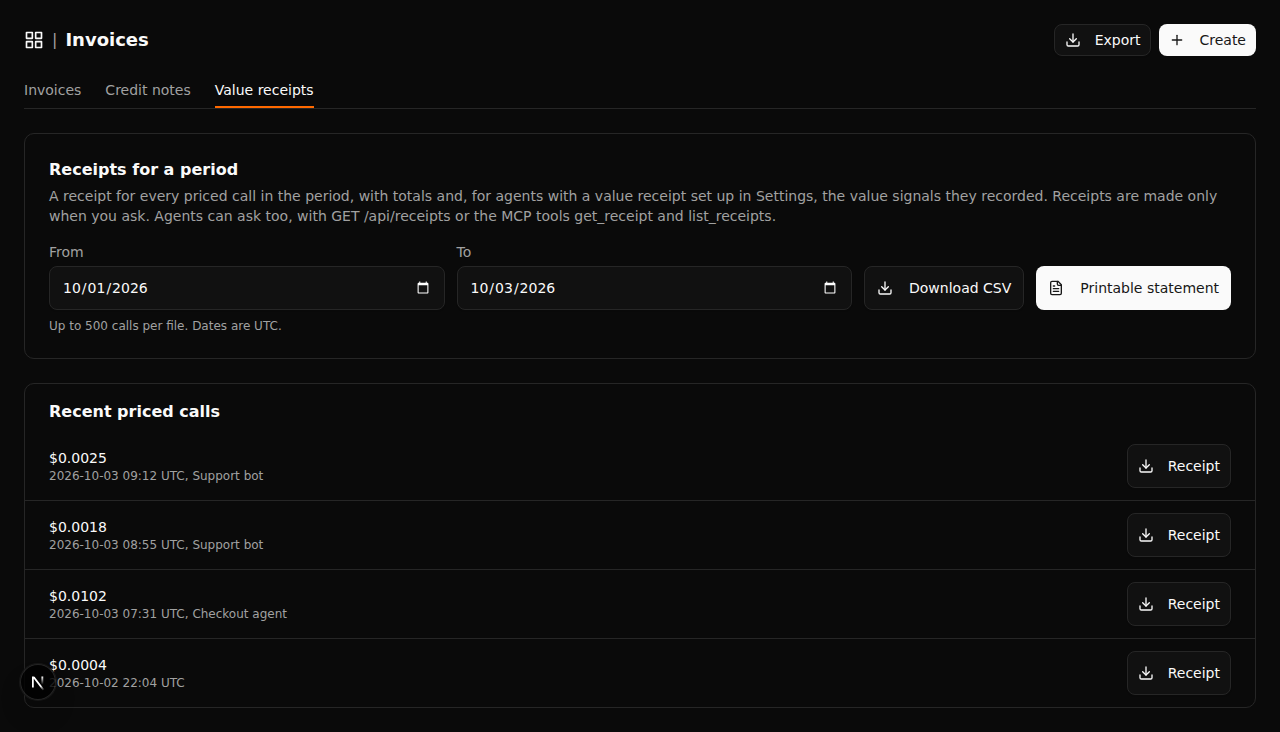
Value receipts were a settings page with nothing behind it. Now every priced call can have a receipt, and nothing is sent unless someone asks for it.
- On Invoices, Value receipts, pick a date range and download a CSV or a printable statement, or download the receipt for one recent call
GET /api/receipts/{id}returns the receipt for one priced call: what was priced, by which function and agent, when, the amount, how it was paid and the outcome if you reported oneGET /api/receiptsreturns a statement with totals for up to 50 call ids or for a period of up to 366 days (this month by default), for one function or agent if you like- Add
format=csvorformat=htmlfor a spreadsheet or a printable page - A statement for a period counts, for each agent, the signals you chose in Settings, Value receipts, and its cost when you chose to show costs
- Agents can ask with the new MCP tools
get_receiptandlist_receipts, also in the LangChain, AI SDK and Agents SDK tool packages - A key bound to an agent only gets receipts for that agent's calls
- The MCP server is now version 0.4.0